
Blog / Study Tips / Study Planner Examples: 10 Layouts That Actually Work
Study Tips
Study Planner Examples: 10 Layouts That Actually Work
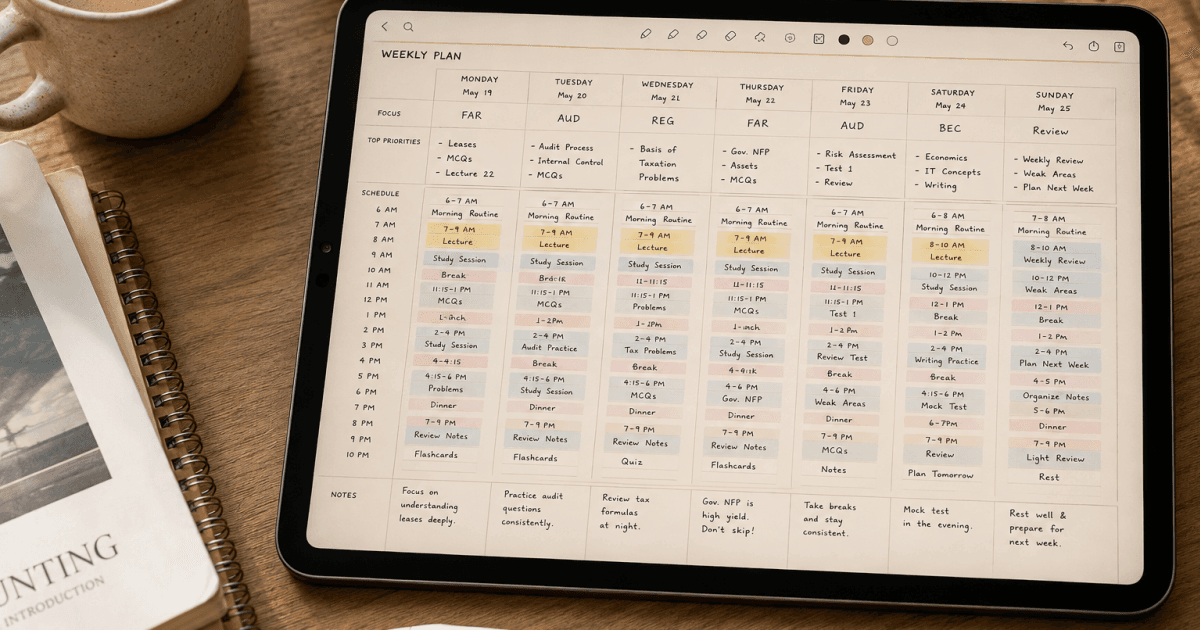
The internet is full of gorgeous planner spreads that look incredible on Instagram but would take you 45 minutes to set up every week. That's not planning. That's arts and crafts.
A study planner that actually works is one you'll fill out on a Monday morning in under five minutes and then reference all week. It needs to show you what's coming, what's urgent, and what you can push to tomorrow without guilt. Everything beyond that is decoration.
Here are ten study planner layouts that real students use across high school, college, grad school, and professional exam prep. Each one solves a different problem, so the right choice depends on how you study, not on what looks prettiest.
1. The Weekly Overview Spread
This is the most popular study planner layout for a reason. Two facing pages (or one landscape digital page) divided into seven day columns with a small notes or goals section on the side.
What makes it work: you see your entire week at a glance. Monday's chemistry lab, Wednesday's essay deadline, and Saturday's study block all live in the same visual space. You catch conflicts before they happen.
Who it's best for: college students managing 4 to 6 classes simultaneously. If your schedule changes week to week (as most university schedules do), the weekly overview is flexible enough to handle it.
The trick is keeping each day's column narrow enough that you can't over-plan. Two to four items per day is a plan. Twelve items is a wish list.
2. The Hourly Time Block
A full day broken into hourly (or half-hourly) rows from 6 AM to 10 PM, with each block assigned to a specific activity. This layout comes from Cal Newport's deep work philosophy: if it's not on the schedule, it doesn't happen.
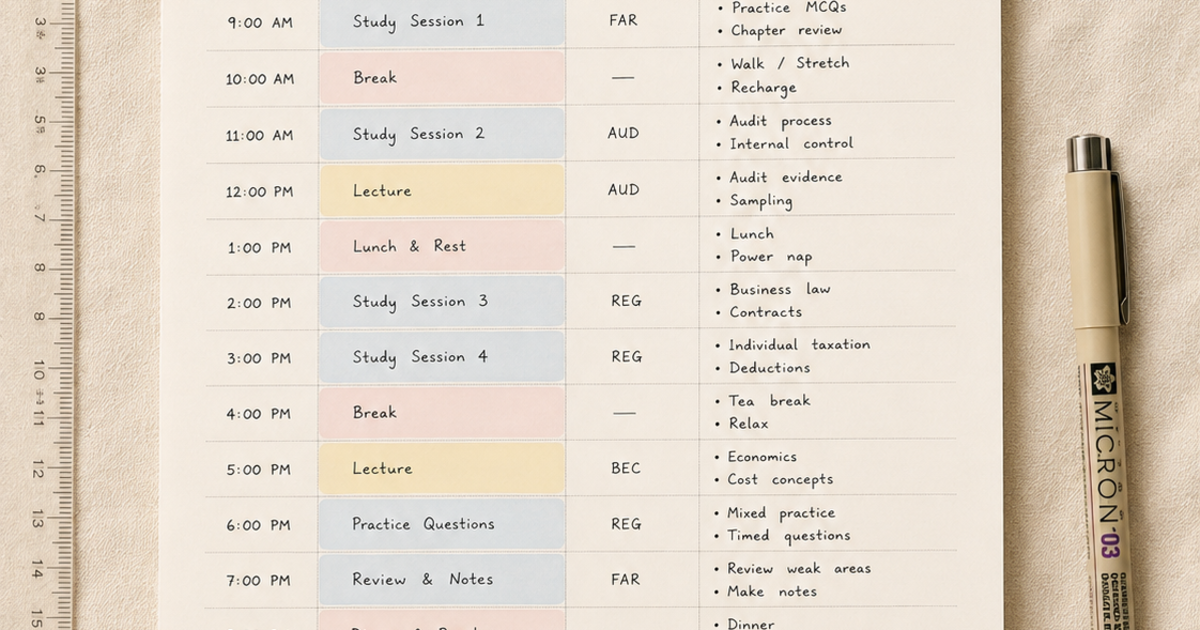
What makes it work: it forces you to confront exactly how many hours you actually have. Most students think they have "all evening" to study, when in reality they have 6 PM to 8 PM between dinner, their part-time job, and the point where their brain stops functioning.
Who it's best for: students who struggle with procrastination or time blindness. Seeing that you only have two usable hours tonight, not "the whole evening," creates real urgency. Also excellent for anyone juggling a job alongside coursework.
Fair warning: some people find hourly blocking stressful. If sticking to a rigid time grid makes you anxious rather than productive, skip this one and look at layout 5 instead.
3. The Subject Rotation Grid
A week-long grid with your subjects listed on the left and days across the top. Each cell gets a specific topic or chapter to cover. Think of it like a class schedule, but for studying instead of attending.
What makes it work: it prevents the common trap of studying your favorite subject every day and ignoring the ones you find boring. If Tuesday says "Organic Chemistry, Chapter 8" in the cell, that's what Tuesday is. No negotiating with yourself.
Who it's best for: STEM students with multiple technical courses that each need consistent daily attention. Also works well for anyone preparing for comprehensive exams (like the MCAT or bar exam) where you're covering multiple subjects over several months.
4. The Semester Overview
One page showing all 15 to 16 weeks of the semester with major deadlines, exams, project due dates, and breaks mapped out. Not a daily planner, more of a strategic map.
What makes it work: it shows you the shape of the semester before you're in it. That cluster of three midterms in week 7? You can see it coming in week 1 and start preparing early instead of being blindsided.
Who it's best for: anyone, honestly. Even if you use a different daily or weekly layout for your actual study sessions, having a semester-level view prevents the "I didn't realize that was due this week" problem that hits every student at least once.
5. The Priority Matrix
A simple four-quadrant layout based on the Eisenhower matrix: urgent and important (do now), important but not urgent (schedule), urgent but not important (delegate or batch), and neither (skip).
What makes it work: instead of a chronological list of tasks, it forces you to categorize by importance. That reading assignment due tomorrow but worth 2% of your grade? It's urgent but not important. That research proposal not due for three weeks but worth 30%? Important but not urgent, which means start now.
Who it's best for: graduate students and anyone doing research-heavy work where the most important tasks rarely have the nearest deadlines. Also great for students who feel overwhelmed by long to-do lists, since the matrix immediately separates "actually matters" from "feels urgent but isn't."
6. The Pomodoro Log
A page designed around 25-minute focused study blocks (pomodoros) with 5-minute breaks. Each pomodoro gets a row: the subject, what you planned to accomplish, a checkmark if completed, and a brief note on what you actually did.
What makes it work: it turns studying into countable units. Instead of "I studied for three hours" (which might mean three hours of staring at a textbook), you studied for six pomodoros, and each one has a specific record of what got done.
Who it's best for: students who have trouble staying focused for long stretches. Twenty-five minutes is short enough that almost anyone can commit to it without dreading it. It's also excellent for building a study habit from scratch, since you can start with just two or three pomodoros and build up.
7. The Exam Countdown
A reverse calendar counting backward from the exam date. Day minus 30, day minus 29, all the way to exam day. Each day has a specific topic or activity assigned.
What makes it work: the countdown creates natural urgency that a regular calendar doesn't. When you see "Day minus 7" and you still haven't touched three chapters, the visual impact is stronger than a date on a calendar.
Who it's best for: anyone preparing for a single high-stakes exam (CPA, LSAT, MCAT, SAT, finals). The countdown format is less useful for ongoing coursework where there's no single target date.
8. The Cornell Notes Integration
A planner layout that pairs your study schedule with a Cornell-style notes section: a narrow left column for cues and questions, a wide right column for notes during study, and a summary section at the bottom.
What makes it work: it combines planning (what to study) with execution (the actual notes) in one place. You don't need a separate notebook and a separate planner. Your Tuesday study block and your Tuesday notes live on the same spread.
Who it's best for: students who take handwritten notes and want everything consolidated. Particularly effective for courses with heavy reading loads where you're processing and summarizing material.
9. The Habit and Goal Tracker
A monthly grid where each row is a habit (studied for 2 hours, reviewed flashcards, completed practice problems, slept 7 hours) and each column is a day. Fill in the cell when you complete the habit. Over a month, patterns emerge.
What makes it work: it makes consistency visible. You can't pretend you've been studying regularly when the grid shows five empty days in a row. And the visual satisfaction of filling in a streak is genuine motivation for a lot of people.
Who it's best for: anyone trying to build consistent study habits rather than cramming. Works especially well alongside any of the other layouts. A semester overview tells you what to study; a habit tracker tells you whether you're actually doing it.
10. The Minimal Daily Page
One page per day. Three sections: today's top three priorities (not ten, three), a simple time-block column for scheduling when you'll do them, and a small reflection box at the bottom for what went well and what to adjust tomorrow.
What makes it work: radical simplicity. There's no room to over-plan or create elaborate systems. Three priorities, when you'll do them, and a quick review at the end. If you've tried complex planning systems and abandoned them all, this is worth trying precisely because there's almost nothing to set up.
Who it's best for: students who are overwhelmed by detailed planners and end up not using them at all. Also excellent for high-pressure periods (finals week, dissertation writing) where you need laser focus on just the most important things each day.
Picking the Right Layout for You
There is no universally best study planner layout. The right one depends on three things: how many subjects or commitments you're juggling, whether your main challenge is knowing what to do or actually doing it, and how much setup time you're willing to invest each week.
If you're juggling multiple classes and need to see the big picture, start with the weekly overview (layout 1) paired with a semester overview (layout 4). If your problem is focus and follow-through, try the Pomodoro log (layout 6) or the habit tracker (layout 9). If you're in exam prep mode, the exam countdown (layout 7) combined with the subject rotation grid (layout 3) covers both strategy and daily execution.
Whatever you choose, the layout only works if you actually open it every day. A perfect planner sitting unused on your home screen is worse than a messy one you check every morning.
Our Smart Class Planner includes several of these layouts built in: weekly overview spreads, a semester overview, Cornell notes pages, and habit tracking grids, all hyperlinked so you can jump between them in one tap. It works as a PDF on GoodNotes, Notability, Xodo, and any other annotation app, so you don't need to build these layouts from scratch.
Frequently Asked Questions
What is the best study planner layout for college students?
The weekly overview spread is the most versatile starting point for college students. It handles changing schedules, multiple classes, and social commitments in one view. Pair it with a semester overview for long-range planning.
Do digital study planners work better than paper?
Digital planners have a few practical advantages: you can duplicate pages without rewriting layouts, hyperlinks let you jump between sections instantly, and you always have them on your tablet or phone. Paper planners work better for people who retain information through handwriting. There's no wrong answer.
How much time should I spend planning vs actually studying?
Five minutes at the start of each day and 15 minutes at the start of each week is plenty. If your planning routine takes longer than your shortest study session, the system is too complex. Simplify it.
How do I stop abandoning my planner after two weeks?
Pick the simplest layout that covers your needs and nothing more. Most people quit planners because the system requires too much maintenance. The minimal daily page (layout 10) exists specifically for people who keep starting and stopping.
Can I combine multiple planner layouts?
Absolutely, and most effective planners do. A semester overview for the big picture, a weekly spread for scheduling, and a habit tracker for accountability is a combination that covers strategy, execution, and consistency without being overly complex.